How to Choose a Drone for Beginners
Choose a drone that fits your main use, then compare the controls, camera, flight time, durability, and operating requirements that matter for that use. One main use gives you a clear starting point: a drone suited to practice may lack features you want for outdoor photography. A beginner label or rated maximum flight time doesn’t guarantee safer flying or everyday endurance.
How do you choose a drone for beginners?
Quick answer: Start with what you’ll fly most, then compare the controls, camera, flight time, durability, operating requirements, price, and likely accessory and replacement-part costs. Pick features for that use: simple controls and propeller guards for close-range practice, or stabilization and GPS-assisted features for outdoor camera work. The priorities change for selfies or FPV racing, so compare those needs separately.
- Choose a main use: practice, outdoor flying, photography or video, selfie clips, or FPV racing.
- Set a total budget: include likely accessories and replacement parts.
- Compare controls and safeguards: check for phone or dedicated-controller operation, guards, and the safety features actually included.
- Match the camera to your work: compare resolution, frame rate, sensor size, and stabilization for photo and video.
- Check flight time and upkeep: compare rated flight time under its stated test conditions, spare parts, and replacement-battery cost.
- Check operating requirements: review applicable training, registration, airspace, and flight rules for where you’ll fly.
Choose a beginner drone step by step
Define the intended use. Choose the main job: learning to fly, casual outdoor flying, photography or video, selfie shots, or FPV racing. Your use determines which features deserve priority.
Set a budget. Include the drone, likely accessories, and replacement parts so the purchase cost reflects what you may need to keep flying.
List the features you need. For indoor or close-range practice, compare low speed, simple controls, light weight, propeller guards, and replacement-part availability. For outdoor camera use, compare GPS-assisted hovering, Return-to-Home, a dedicated controller, stabilization, and wind capability.
- For photo and video, compare video resolution and frame rate, still-photo resolution, sensor size, and stabilization type, not just megapixels.
- For selfie or travel clips, compare compactness, launch ease, automated subject or camera modes, guards, and phone versus separate-controller operation.
- For FPV or racing, prioritize low-latency controls, agility, and repairability; expect a steeper learning curve than with a standard camera drone.
Compare candidate drones against your list. Record price and included kit, takeoff weight, camera details, stabilization, control method, GPS and Return-to-Home, obstacle sensing or guards, rated flight time, and replacement-battery cost. Check which safety features are actually included; a beginner label doesn’t guarantee obstacle avoidance, and flight aids don’t make a drone crash-proof.
Check rules and operating requirements before buying. For U.S. recreational flying, account for TRUST, visual line of sight, the 400 ft AGL limit in Class G airspace, and prior FAA authorization for controlled airspace. Check location restrictions with FAA tools before buying and before each flight.
- Registration depends on how you fly and the drone’s weight. Under Part 107, all drones must be registered; registered drones generally need Remote ID when flown unless they’re operated in a FRIA.
- Choose the candidate that fits your use and budget. Favor the features you need, then confirm the included kit, operating requirements, and replacement-part costs fit your plan.
Match drone features to your intended use
Let your main use decide which features deserve priority: a basic practice drone, an outdoor camera drone, a selfie drone, and an FPV racer solve different problems. If you’re learning basic control, prioritize a lower-cost toy-style drone with propeller guards; for outdoor photography or video, compare stabilization, GPS-assisted hovering, and Return-to-Home, which helps the drone return to its launch point.
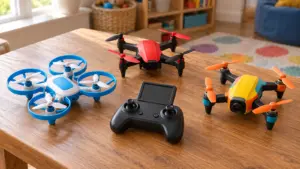
- For basic flying practice: Focus on ease of control and protection against minor bumps. Propeller guards can reduce propeller damage in collisions, but they don’t remove flight risk.
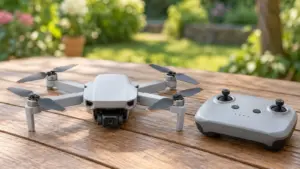
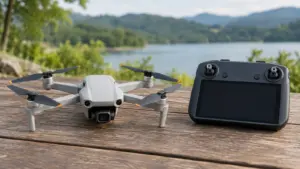
- For outdoor photography or video: Compare camera stabilization, GPS-assisted hovering, Return-to-Home, and wind capability. A dedicated controller may also matter, depending on how you prefer to control the drone. These features can help with outdoor camera use, but they don’t make a drone crash-proof.
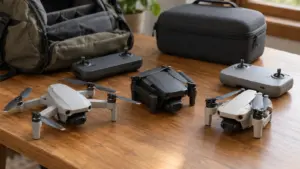
- For selfie shots or travel clips: Compare how compact the drone is, how easy it is to launch, and whether it offers automated subject or camera modes. Check for propeller guards, too, and confirm whether you control it with a phone, a separate controller, or either option.
- For FPV or racing: Prioritize low-latency first-person-view controls, agility, and repairability. These drones generally have a steeper learning curve than standard camera drones, and their priorities differ from stabilized footage or long flight time.
Once you’ve chosen your use case, compare candidate drones on those priorities rather than treating every feature as equally important. Check how each drone is controlled and verify which safety features it actually includes; a beginner label doesn’t guarantee obstacle avoidance. For flying near people or obstacles, guards may matter more than an automated camera mode. For racing, repairability may matter more than a stabilized camera.
If you have more than one use in mind, pick the one you’ll do most often, then check whether the same drone serves the second use without giving up a feature you consider necessary.
What should beginners compare before buying?
Compare each drone against your intended use in five areas: camera, control, flight time, durability, and operating requirements.
- Camera: For photo and video, compare video resolution and frame rate, still-photo resolution, sensor size, and stabilization type. Megapixels alone don’t tell you how the camera will perform.
- Control: Check whether the drone uses a phone, a dedicated controller, or both. Confirm which safety features are included; a beginner label doesn’t guarantee obstacle avoidance.
- Flight time: Compare rated flight time, but treat it as a maximum rather than a promise of everyday endurance. Manufacturer figures depend on test conditions, so check those conditions when comparing drones.
- Durability: Look for propeller guards, replaceable propellers, available spare parts, and repair or replacement terms. Guards can reduce propeller damage in collisions, but they don’t remove flight risk.
- Operating requirements: Check the takeoff weight and the rules that apply to the drone and your planned flight. In the U.S., recreational registration is generally required above 0.55 lb (250 g); the exemption for drones at or below that weight applies only under the Exception for Limited Recreational Operations. Check location restrictions before buying and before each flight, using FAA tools to verify airspace for a specific location.
For outdoor camera work, compare GPS-assisted hovering, Return-to-Home, a dedicated controller, camera stabilization, and wind capability. For close-range selfie or travel clips, weigh compactness, ease of launch, automated subject or camera modes, propeller guards, and whether you can control the drone with a phone.
If you’re considering FPV or racing, prioritize low-latency controls, agility, and repairability over stabilized footage or long flight time.
Compare beginner drone features at a glance
A useful beginner-drone comparison puts your intended use beside the features that affect control, camera work, durability, and operating requirements. Compare the same criteria for each candidate, and treat rated flight time as a maximum under stated test conditions, not a promise of everyday endurance.
| Criterion | What it means for a beginner |
|---|---|
| Intended use | Match priorities to learning to fly, casual outdoor flying, photography or video, or selfie shots. |
| Controls and safety features | Check whether control uses a phone, a dedicated controller, or both; verify which safety features are included. A beginner label doesn’t guarantee obstacle avoidance. |
| Camera | Compare video resolution and frame rate, still-photo resolution, sensor size, and stabilization type. |
| Flight time | Compare rated flight time and the conditions used for the rating. |
| Durability and parts | Look for propeller guards, replaceable propellers, available spare parts, and repair or replacement terms. |
| Operating requirements | Check applicable registration, training, airspace, and flight restrictions for where you plan to fly. |
Frequently Asked Questions
How much should a beginner spend on a drone?
Set a budget around the job you want the drone to do, then include accessories and replacement parts in the total. Compare the included kit and likely upkeep costs, since a low purchase price may not cover the parts you need to keep flying.
How long can a beginner drone fly on one battery?
Check the rated flight time and the test conditions behind it; the rating is a maximum, not a promise of typical flight time. For example, the DJI Mini 4K is rated for up to 31 minutes per battery, while the DJI Neo is listed at approximately 18 minutes, or approximately 17 minutes with propeller guards.
How many spare batteries should I buy for a beginner drone?
Buy spare batteries based on how long you want to fly between charging sessions and the replacement-battery cost for the drone you choose.
Where can I safely practice flying a drone for the first time?
Choose an open location where you can keep the drone within visual line of sight, then check airspace restrictions for that specific location before flying. In the U.S., recreational pilots must pass TRUST, and flights in controlled airspace require prior FAA authorization.
What accessories should I buy with my first drone?
Prioritize accessories that fit your planned use and help you handle routine damage, such as propeller guards and replaceable propellers. Before buying extras, compare what the kit includes, whether replacement parts are available, and the cost of replacement batteries.
Conclusion
If you’ll mainly practice flying, choose a drone with simple controls, propeller guards, and available replacement parts. If camera work is the priority, favor stabilization and GPS-assisted features; if you want FPV racing, put agility and repairability first.
Your next step is to write down your main use and budget, then compare candidate drones against those priorities. Before you buy, confirm the included kit, replacement-part costs, and the rules for where you plan to fly.
Sources
- How to Choose the Best Drone for Your Needs (bhphotovideo.com, 2025-03-06T12:07:57-05:00)
- bhphotovideo.com (bhphotovideo.com)
- skylum.com (skylum.com)
- dl.djicdn.com (dl.djicdn.com)
- dji.com (dji.com)
- dji.com (dji.com)
- blog.skylum.com (blog.skylum.com)
- dl.djicdn.com (dl.djicdn.com)
- faa.gov (faa.gov)
- faa.gov (faa.gov)
- faa.gov (faa.gov)
- faa.gov (faa.gov)