10 Best Drones for Kids for 2026
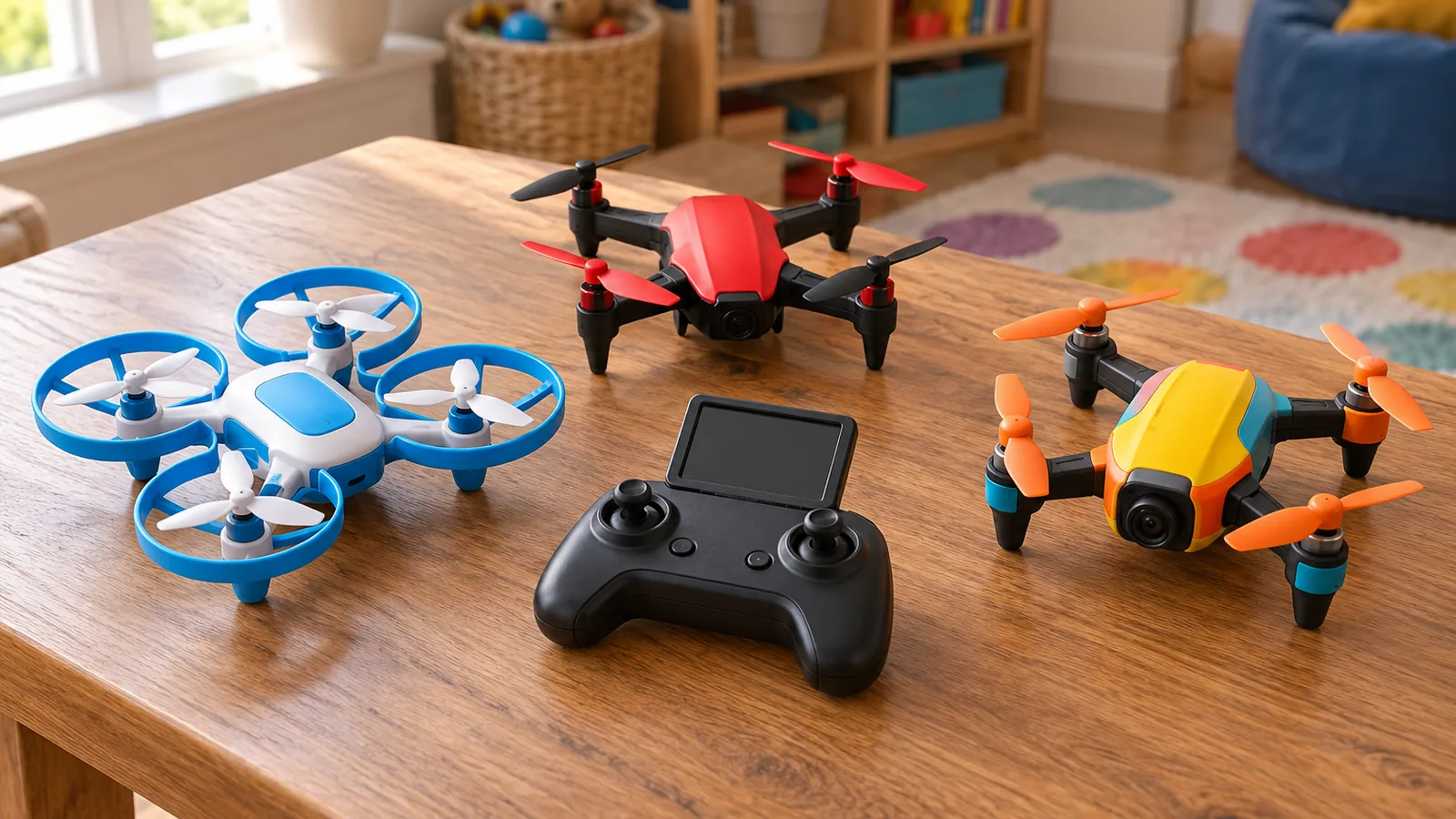
The YGFBQE 2K Screen Drone is the best overall for kids who want a camera drone with a screen built into the remote. For a simpler flying toy, consider the Holy Stone Mini FPV Drone, Helatt LED Mini Drone, or Lovovia LED RC Quadcopter; for camera-focused options, compare the sllcll Foldable Camera Drone, Wipkviey 1080P Mini Drone, Eterfun LED Camera Drone, FLYVISTA Shark Camera Drone, and ASFSFQ Foldable Camera Drone.
The Suseny HOFMOC Mini Drone rounds out the list for families considering indoor and outdoor flying. To choose, compare beginner controls, propeller guards, flight time, and how many batteries come with each drone.
Camera resolution and live view serve different needs: resolution describes recorded footage, while live view shows the camera feed during flight. Also consider whether your child will need a phone or can use a screen built into the controller.
The comparison table below covers beginner controls, included batteries, and flight time.
Our top picks for drones for kids
- Best Overall: YGFBQE 2K Screen Drone pairs a 2K camera and brushless motor with a built-in 2.8-inch controller screen
- Best for FPV Beginners: Holy Stone Mini FPV Drone suits kids and beginners with its 1080P camera and mini quadcopter format
- Best for Phone FPV: sllcll Foldable Camera Drone streams FPV video to a phone through its 1080P camera and has a lens
How to Choose a Drone for Kids
Match the controls to flying experience
Choose controls that match what the pilot is ready to manage. A first-time flyer may prefer simple controls and a slower setting, while someone with more practice may want more control over speed. Look for clear descriptions of how the drone responds to stick input, how it takes off and lands, and whether the controls are on a separate transmitter or a phone.
Think about where the child will fly, too. A drone that needs room to move may be a poor fit for a small indoor space. If the child is learning, prioritize control features over extra camera functions or decorative effects. Simple controls can make the first flights easier to manage.
Check for propeller guards and beginner aids
Look for guards that cover the propellers, then consider which flight aids address the pilot’s needs. Altitude hold helps keep a drone at a set height; headless mode makes directional control less dependent on which way the nose points. Speed modes let you choose between slower and faster responses. These features can help make practice more manageable, but they don’t replace supervision or careful flying.
One indoor toy drone pairs full propeller guards with altitude hold, headless mode, and two speed modes, and its manufacturer recommends adult supervision, especially for younger children. Use those as examples of features to compare, not as a reason to assume every beginner needs the same setup. Adult supervision remains part of the decision.
Compare advertised flight time and included batteries
Compare flight time alongside the number of included batteries. A longer advertised flight time can mean more time in the air per charge, while extra batteries can support more flights before you need to recharge. Look at both figures together rather than judging a drone by its longest advertised flight alone.
Also consider how the drone will be used. If you expect several short practice sessions, spare batteries may matter more than a longer single flight. If you’re choosing a camera drone, think about whether the planned flight gives enough time to frame and capture footage. Battery count and flight time answer different questions, so weigh them separately.
Decide whether a camera and live view matter
Start with what the child wants to do. If flying is the main goal, a camera may add features without improving the basic experience. If taking photos or videos is part of the appeal, compare the camera’s stated resolution and whether the drone provides a live view while flying.
Live view means seeing the camera feed on a screen during flight. That can help with framing, but it also makes the phone or built-in screen part of the setup. Separate camera resolution from live-view capability: one describes recorded image detail, while the other describes what you can see during the flight. Live view requires a screen as part of the flying setup.
Check phone requirements, weight, and flying setting
Before choosing, work out what the drone needs to operate: a phone, an included screen, or a separate controller. Then consider the drone’s weight and intended flying setting. A light indoor toy and a camera drone meant for open-air use call for different spaces and handling. Match the choice to where the child will actually fly, rather than relying on a broad label such as “for kids.”
Compare the complete setup: controls, power, screen needs, and the space available for flying.
| YGFBQE 2K Screen Drone |  | Best Overall | Beginner controls: Headless Mode | Batteries included: 2 batteries | Flight time: Up to 30 minutes | VIEW LATEST PRICE | Read Our Analysis |
| Holy Stone Mini FPV Drone |  | Best for FPV Beginners | Beginner controls: 1-key takeoff/landing | Batteries included: 3 batteries included | Flight time: Up to 15 minutes | VIEW LATEST PRICE | Read Our Analysis |
| sllcll Foldable Camera Drone |  | Best for Phone FPV | Beginner controls: 1-Key Takeoff/Landing | Batteries included: 2 rechargeable batteries | Flight time: Up to 30 minutes | VIEW LATEST PRICE | Read Our Analysis |
| Wipkviey 1080P Mini Drone |  | Best for Spare Battery | Beginner controls: 1-key takeoff and landing | Batteries included: 2 batteries | VIEW LATEST PRICE | Read Our Analysis | |
| Helatt LED Mini Drone |  | Best for Longer Sessions | Beginner controls: 1-Key Takeoff & Landing | Batteries included: 2 batteries | Flight time: Up to 16 minutes | VIEW LATEST PRICE | Read Our Analysis |
| Eterfun LED Camera Drone |  | Best for Camera and Lights | Beginner controls: 1-key takeoff/landing | Batteries included: 2 modular batteries | Flight time: Up to 15 minutes | VIEW LATEST PRICE | Read Our Analysis |
| Lovovia LED RC Quadcopter |  | Best for Easy Hovering | Beginner controls: 1-key takeoff and landing | Batteries included: 2 rechargeable batteries | Flight time: Up to 16 minutes | VIEW LATEST PRICE | Read Our Analysis |
| Suseny HOFMOC Mini Drone |  | Best for 4K Camera Fun | Beginner controls: Beginner indoor drone | Batteries included: 2 1800mAh batteries | Flight time: Up to 35 minutes | VIEW LATEST PRICE | Read Our Analysis |
| FLYVISTA Shark Camera Drone | 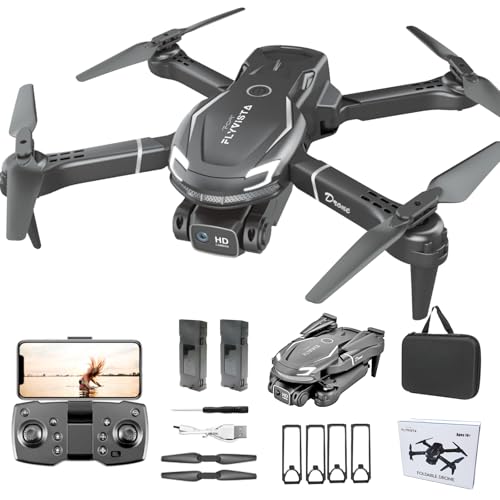 | Best Shark Design | Beginner controls: 1-click takeoff/landing | Batteries included: 2 batteries | Flight time: 20 minutes total | VIEW LATEST PRICE | Read Our Analysis |
| ASFSFQ Foldable Camera Drone |  | Best for Foldable Design | Beginner controls: 1-click takeoff/landing | Batteries included: 2 rechargeable batteries | Flight time: Up to 25 minutes | VIEW LATEST PRICE | Read Our Analysis |
More Details on Our Top Picks
YGFBQE 2K Screen Drone
New pilots can build their skills with Headless Mode, one-key takeoff and landing, and three speed modes. Two batteries provide up to 30 minutes of total flight time, and brushless motors help deliver smoother, more stable flight.
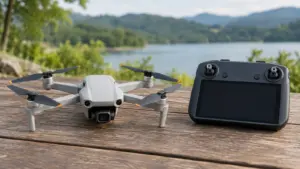
The remote screen keeps live viewing on the controller, while trajectory flight and gravity control add extra ways to steer and play. It weighs under 249 g and includes spare propeller blades. Saving photos and videos requires an SD card, and the drone supports cards up to 32GB, so storage capacity is capped.
Its two included batteries give a beginner more time to practice before recharging, while the screen avoids relying on a phone for live viewing. The 2.8-inch display is built into the remote, rather than being a larger separate viewing device.
Skip it if: you need to record more than 32GB of footage on the drone.
- Propeller guards:—
- Beginner controls:Headless Mode
- Flight time:Up to 30 minutes
- Batteries included:2 batteries
- Camera and live view:2K HD camera & FPV
- Phone required:No separate phone screen
- Weight:Under 249 g
- Flight setting:—
Holy Stone Mini FPV Drone
Its 1080P camera streams live video to a phone, making indoor FPV approachable for kids and beginners. The Holy Stone Mini FPV Drone adds one-key takeoff and landing, headless mode, trajectory flight, gravity control, flips, and three speed levels. Optical-flow positioning helps it hover steadily indoors.
Setup includes a phone holder, controller, spare propellers, tools, and a USB cable. Its three modular batteries provide up to 15 minutes total, so that runtime is shared across the set, not each battery. Full 360° propeller guards surround the rotors, while a smartphone is required for FPV viewing, which can limit screen-free flying. This mini quadcopter is intended for indoor flights.
Skip it if: your child plans to fly outdoors.
- Propeller guards:Full 360° propeller guards
- Beginner controls:1-key takeoff/landing
- Flight time:Up to 15 minutes
- Batteries included:3 batteries included
- Camera and live view:1080P HD camera & FPV
- Phone required:Smartphone via WiFi
- Weight:0.02 lb
- Flight setting:Indoor
sllcll Foldable Camera Drone
For kids who want phone-based FPV, the sllcll Foldable Camera Drone suits casual 1080P filming with live phone video. Its camera tilts up to 90° for angled shots, while FPV streams to a phone for viewing. New pilots can learn with one-key takeoff and landing, altitude hold, headless mode, and three speed levels.
The foldable drone comes with a case, propeller guards, and extra propellers for carrying and practice. Its app adds trajectory flight, Follow Me, gravity control, and gesture selfies, while the remote can trigger 360° flips and rolls. It’s designed for indoor and outdoor use and weighs under 249 g. FPV requires a phone, so children who want to view the live camera feed need to fly with one connected.
Skip it if: your child wants live FPV without a phone.
- Propeller guards:Propeller guards
- Beginner controls:1-Key Takeoff/Landing
- Flight time:Up to 30 minutes
- Batteries included:2 rechargeable batteries
- Camera and live view:1080P HD camera & FPV
- Phone required:Streams to your phone
- Weight:Under 249g
- Flight setting:Indoors and outdoors
Wipkviey 1080P Mini Drone
Unlike YGFBQE 2K Screen Drone, this suits young beginners who want two batteries for longer flying sessions. A 1080P camera streams live video to a phone app, while one-key takeoff and landing, altitude hold, and headless mode simplify basic control.
The Wipkviey 1080P Mini Drone uses app control for the camera feed and flying, so you’ll need a phone to use those features. Two rechargeable batteries let kids swap batteries and spend less time waiting between flights. The foldable frame packs away compactly. The phone requirement may be inconvenient for children who need a separate device for live viewing or app control.
Skip it if: your child needs live viewing on a controller screen rather than a phone.
- Propeller guards:—
- Beginner controls:1-key takeoff and landing
- Flight time:—
- Batteries included:2 batteries
- Camera and live view:1080P camera & app control
- Phone required:Phone app live feed
- Weight:0.29 lb
- Flight setting:—
Helatt LED Mini Drone
The Helatt LED Mini Drone’s two-battery setup suits longer practice sessions. It includes two 500mAh batteries for up to 16 minutes of total flight time, so a child can swap packs and get back in the air with less downtime. Beginners can use one-key takeoff and landing, altitude hold, and two speed modes; full propeller guards help shield the blades on indoor flights.
Five LED modes add color and visibility for indoor or outdoor flights, and the drone also supports 360-degree flips, headless mode, and auto rotation. The remote controller’s batteries aren’t included, so you’ll need to provide those separately; the drone’s two rechargeable packs are ready for quick swaps.
- Propeller guards:Full propeller guards
- Beginner controls:1-Key Takeoff & Landing
- Flight time:Up to 16 minutes
- Batteries included:2 batteries
- Camera and live view:—
- Phone required:—
- Weight:—
- Flight setting:Indoor and outdoor
Eterfun LED Camera Drone
Camera footage and visible low-light flights come together in this compact flyer. Gesture-based photography lets a child take photos with hand movements. Two modular batteries provide up to 15 minutes of flight time.
One-key takeoff and landing, altitude hold, headless mode, and adjustable speeds give beginners simple controls and room to try 3D flips. It requires a smartphone for live FPV viewing, so flying and viewing the feed involve another device. Its 1080P camera and FPV suit children who want to see footage as they fly, while the lights help it stand out in low light.
Skip it if: you need a live camera view without a smartphone.
- Propeller guards:—
- Beginner controls:1-key takeoff/landing
- Flight time:Up to 15 minutes
- Batteries included:2 modular batteries
- Camera and live view:1080P HD camera & FPV
- Phone required:Smartphone
- Weight:—
- Flight setting:—
Lovovia LED RC Quadcopter
Its crash-resistant frame and full propeller guards suit beginners who want easier hovering indoors or outdoors. Altitude hold and stable hovering help keep the drone steady; one-key takeoff and landing, an emergency stop, and a low-battery alarm add safeguards.
Seven LED light modes help you track the quadcopter in low light, and it also supports 3D flips and stunts. Its compact 4.5 x 4.5 x 1.1-inch size makes it easy to carry between flying spots. The controls are geared toward simple starts and steady hovering, but its flight time tops out at 16 minutes, limiting each flying session.
Skip it if: your child needs a flight longer than 16 minutes.
- Propeller guards:Full propeller guards
- Beginner controls:1-key takeoff and landing
- Flight time:Up to 16 minutes
- Batteries included:2 rechargeable batteries
- Camera and live view:—
- Phone required:—
- Weight:—
- Flight setting:Indoor and outdoor
Suseny HOFMOC Mini Drone
For camera-led flying, the Suseny HOFMOC Mini Drone lets you frame wide scenes. Its 4K HD camera has a 130-degree lens and 90-degree adjustable tilt, while real-time FPV sends the view during flight. Optical-flow positioning helps the drone hold its position. Beginners also get one-key takeoff and landing, altitude hold, and an emergency stop.
It’s made for indoor and outdoor flights, with full propeller guards for added protection.
The drone offers app control, voice commands, and a gravity sensor, plus a storage case and USB-C charging. For indoor flights, use speed mode 1; outdoor flights call for speed mode 3. Beginners are advised to start with the right joystick before moving to the left, so learning its control scheme takes a little patience.
The adjustable camera tilt gives kids room to change shooting angles without changing the drone’s position.
Skip it if: your child wants a basic toy drone without a camera, app controls, or multiple flight modes.
- Propeller guards:Full propeller guards
- Beginner controls:Beginner indoor drone
- Flight time:Up to 35 minutes
- Batteries included:2 1800mAh batteries
- Camera and live view:4K HD camera, real-time FPV
- Phone required:—
- Weight:—
- Flight setting:Indoor and outdoor
FLYVISTA Shark Camera Drone
Its shark-shaped body makes this 1080P FPV mini drone a distinctive fit for kids who want a camera flyer. The 1080P FPV camera sends live footage to a phone or iPad over WiFi, and its lens adjusts manually through 90 degrees.
One-click takeoff and landing, headless mode, optical-flow positioning and a propeller guard support beginner flights. The remote or app offers speed settings, flips and gesture controls. You’ll need a phone or iPad connected by WiFi for live view, and outdoor wind can disturb the drone. At 4.8 x 3 x 2.1 inches, its shark profile and guarded propellers suit compact indoor flying.
Skip it if: you want live footage without connecting a phone or iPad.
- Propeller guards:Propeller guard
- Beginner controls:1-click takeoff/landing
- Flight time:20 minutes total
- Batteries included:2 batteries
- Camera and live view:1080P FPV camera
- Phone required:Phone/iPad via WiFi
- Weight:—
- Flight setting:Compact indoor flying
ASFSFQ Foldable Camera Drone
Its camera tilts up to 90 degrees, and gesture controls let you take a photo with a V sign or start recording with a fist. The included wing shield adds protection for beginner flights, while headless mode helps you steer without tracking the drone’s orientation. It’s suited to parks, beaches, forests, and other outdoor venues.
The ASFSFQ Foldable Camera Drone pairs one-click takeoff and landing with three speed modes and an emergency stop. To use live view, connect a phone to the drone’s Wi-Fi and open the KY UFO app; the kit also includes a carrying bag and spare propellers. One limitation matters during setup: using the phone and remote control at the same time can cause interference and make the app unresponsive, so choose one control method per flight.
Skip it if: you need to control the drone through the phone and remote at the same time, since simultaneous control can cause interference.
- Propeller guards:Wing shield
- Beginner controls:1-click takeoff/landing
- Flight time:Up to 25 minutes
- Batteries included:2 rechargeable batteries
- Camera and live view:1080P camera & real-time video
- Phone required:Phone via drone Wi-Fi
- Weight:—
- Flight setting:Outdoor venues
Drones for Kids: Key Specs Side by Side
Here is how the 10 picks line up on propeller guards, beginner controls, flight time, batteries included and camera and live view. Cells marked with a dash are specs the maker leaves out of its listing.
| Pick | Propeller guards | Beginner controls | Flight time | Batteries included | Camera and live view |
|---|---|---|---|---|---|
| YGFBQE 2K Screen Drone | — | Headless Mode | Up to 30 minutes | 2 batteries | 2K HD camera & FPV |
| Holy Stone Mini FPV Drone | Full 360° propeller guards | 1-key takeoff/landing | Up to 15 minutes | 3 batteries included | 1080P HD camera & FPV |
| sllcll Foldable Camera Drone | Propeller guards | 1-Key Takeoff/Landing | Up to 30 minutes | 2 rechargeable batteries | 1080P HD camera & FPV |
| Wipkviey 1080P Mini Drone | — | 1-key takeoff and landing | — | 2 batteries | 1080P camera & app control |
| Helatt LED Mini Drone | Full propeller guards | 1-Key Takeoff & Landing | Up to 16 minutes | 2 batteries | — |
| Eterfun LED Camera Drone | — | 1-key takeoff/landing | Up to 15 minutes | 2 modular batteries | 1080P HD camera & FPV |
| Lovovia LED RC Quadcopter | Full propeller guards | 1-key takeoff and landing | Up to 16 minutes | 2 rechargeable batteries | — |
| Suseny HOFMOC Mini Drone | Full propeller guards | Beginner indoor drone | Up to 35 minutes | 2 1800mAh batteries | 4K HD camera, real-time FPV |
| FLYVISTA Shark Camera Drone | Propeller guard | 1-click takeoff/landing | 20 minutes total | 2 batteries | 1080P FPV camera |
| ASFSFQ Foldable Camera Drone | Wing shield | 1-click takeoff/landing | Up to 25 minutes | 2 rechargeable batteries | 1080P camera & real-time video |
Frequently Asked Questions
What is a good first drone for a 6-, 8-, 10-, or 12-year-old?
For a first drone, choose simple controls, a slower speed setting, and propeller guards, then match the setup to the child’s ability and flying space. Age alone doesn’t determine the right fit; adult supervision matters, especially for younger children.
Do kids’ drones under 250 grams need FAA registration in the U.S.?
It depends on how the drone is flown, not just its weight. Check the current rules for your intended use before relying on a weight figure alone.
How can I tell if a kids’ drone is durable enough to survive crashes?
Look for propeller guards and spare propellers, which can help protect the drone during practice. Guards don’t guarantee crash-proofing, so start with controlled flights in a space suited to the drone and supervise the child.
What should adults do to supervise children flying drones outdoors?
Stay with the child, choose an open area suited to the drone, and help them use simple controls as they learn. Adult supervision is recommended for children using an indoor toy drone, especially younger children.
Can a child fly these drones without connecting them to Wi-Fi?
Yes, if the child is flying without a live phone-based camera view; camera features that stream footage to a phone require that connection.
Conclusion
Start by deciding whether your child’s priority is learning basic flight or capturing camera footage. For a first drone, favor simple controls, guards, and a flying setting that fits the space you can use. For camera use, choose between a controller screen and phone-based live view, then weigh battery count against flight time.
Before choosing, compare the specific models against those needs and set aside the device or batteries their setup requires. That gives you a practical shortlist without paying for features your child won’t use.
Sources
- holystone.com (holystone.com)