How to Get Into FPV Drones as a Beginner
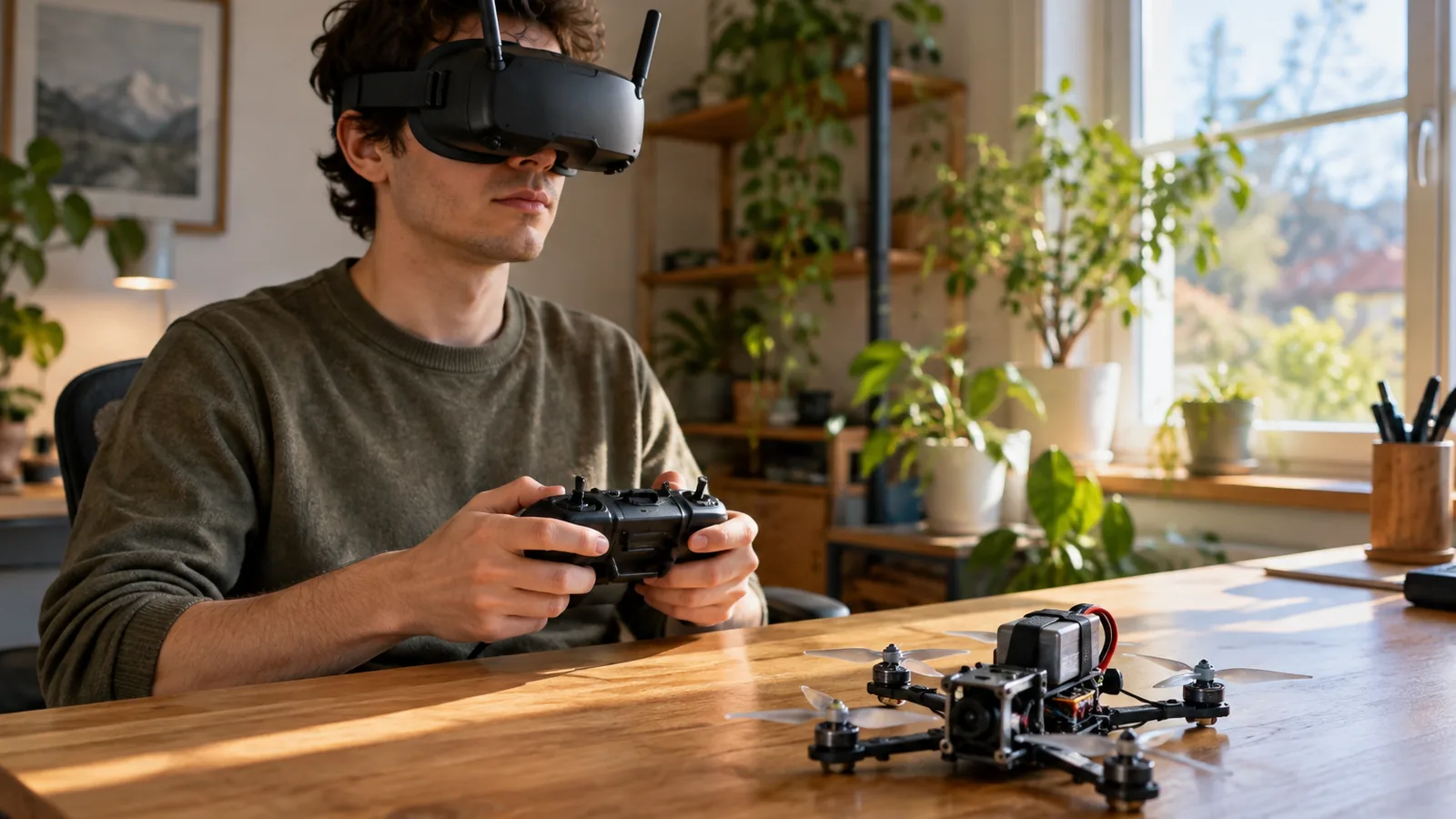
To learn how to get into FPV drones, start with a flight simulator. A training guide recommends 5–10 hours of practice before buying or building your first drone, but that’s guidance, not a universal rule.
How do you get into FPV drones?
Quick answer: Start with a radio controller and FPV simulator, then choose an RTF kit or prebuilt drone if your priority is flying; build one if you want to learn electronics and customization. A training guide recommends 5–10 hours of simulator practice before buying or building, but that’s guidance, not a universal rule. Before flying, check local requirements: in the United States, recreational pilots need TRUST, must keep the drone within visual line of sight, and need a visual observer when flying with FPV goggles.
- Connect your radio controller to a simulator and practice takeoffs, straight lines, turns, and circles on an open map.
- Choose an RTF kit or prebuilt drone for a simpler start, or build one for more component choice and repair practice.
- Check that the drone, radio, goggles or monitor, batteries, and charger are included or compatible.
- Before takeoff, check the weather, battery, propellers, frame and motor screws, and video-transmitter antenna; power on the radio first and confirm the image, controls, and failsafe.
- Make a short, low hover in a clear area, then add turns and circuits only after you can control the drone consistently.
How to Start Flying FPV Drones
Choose your goal. Decide whether you mainly want to fly or spend time on electronics and customization: an RTF kit or prebuilt drone is the simpler route for a flying-first beginner, while a build offers more component choice and repair practice.
Set a budget. Price the complete setup, including the drone, and compare the total cost of a build with an RTF kit.
Choose compatible gear. You need a drone, radio controller, goggles or monitor, batteries, and charger. An RTF package may include the drone, goggles, and controller; check the exact contents, battery type, charging gear, and component compatibility before buying.
Check the rules where you’ll fly. For recreational flights in the United States, complete TRUST and keep proof with you; drones weighing 250 g (0.55 lb) or more must be registered, and registered aircraft generally need Remote ID unless flown within a FRIA. If your flight isn’t solely recreational, Part 107 requirements may apply.
Pick a suitable practice area. Choose clear space with room for a short, low hover and basic circuits, and check the weather before heading out. In the United States, keep the drone within visual line of sight; with FPV goggles, use a co-located observer who can see the aircraft unaided and communicate directly with you.
Set up and bind your gear. Assemble the chosen components, bind the radio to the drone, and configure the video link so the goggles or monitor can display the aircraft’s feed. Builds also require assembly, soldering, firmware configuration, and compatible-part selection.
Practice in a simulator. Connect your radio to an FPV simulator and start on an open map with few obstacles; practice takeoffs, straight lines, turns, and circles before tighter flying. One training guide recommends 5–10 hours before buying or building a first drone, but that’s guidance, not an FAA rule.
Learn basic controls, then preflight. Before takeoff, check weather, battery charge and installation, propeller direction and condition, frame and motor screws, and the video-transmitter antenna. For a new or newly built quad, check electrical continuity for shorts before connecting a battery, and use a smoke stopper for the first power-up.
Test the link and controls. Power on the radio first, confirm a clear image on the correct goggles channel, then verify the controls and failsafe behavior.
Fly, review, and progress gradually. Start with a short, low hover and confirm the controls respond as expected; move on to basic turns and circuits only when control is consistent. Review each flight before attempting faster or more complex maneuvers.
Which FPV Setup Should Beginners Choose?
Choose an RTF kit or prebuilt drone if you want to start flying with less setup; build your own if you’re more interested in electronics, customization, and repairs. For how to get into fpv drones, match the setup to your flying style, experience, budget, and willingness to work on the aircraft.
An RTF package can bundle the drone, goggles, and radio controller, which cuts down on shopping and setup work. Check whether it includes compatible batteries and a charger.
A build gives you more choice over components and can teach you how to assemble and repair your drone. It also means selecting compatible parts, soldering, configuring firmware, and completing preflight checks yourself.
Use these tradeoffs to narrow your choice:
- Flying style: Pick a setup suited to the kind of flying you want to do. No single kit is best for every style.
- Experience: If you’re new and your priority is flying, an RTF kit or prebuilt drone is the simpler entry point.
- Budget: Compare the full package contents and any components you still need; the convenience-versus-flexibility tradeoff doesn’t guarantee that either route costs less.
- Repairs and assembly: Choose a build if learning electronics and customization is part of the goal. Choose prebuilt if you’d rather avoid assembly and firmware setup.
Before buying, confirm that the radio, goggles, batteries, and charger work with the specific drone or kit you’ve chosen.
How Can You Practice and Fly Safely?
Practice on a simulator first, then move to a short, low flight in a clear area and add turns only after you can control the drone consistently.
Practice takeoffs, straight lines, turns, and circles before trying tighter or more demanding routes.
For your first flight, choose a clear, suitable area, make a short low hover, and check that the controls respond as expected. Once basic control is consistent, work up to turns and circuits; wait on faster or more complex maneuvers.
For a newly bought or built quad, check electrical continuity for shorts before connecting a battery, then use a smoke stopper on the first power-up. These checks can help catch an electrical fault before it damages equipment.
In the United States, recreational flyers in 2026 must complete TRUST, carry proof, and keep the aircraft within visual line of sight. For a flight that isn’t solely recreational, Part 107 applies; FPV use requires a visual observer to keep the drone within unaided sight, and other operating requirements may apply. Check the current rules for your location and flight type before flying.
FPV Beginner Setup at a Glance
Use a staged checklist: choose your flying style, select compatible gear, practice in a simulator, then confirm your setup and flying location are safe and legal.
| Stage | What to do | Check before moving on |
|---|---|---|
| Choose your route | Decide whether you want to focus on flying or on electronics and customization. An RTF kit or prebuilt drone is simpler for a beginner focused on flying; building offers more component choice and repair experience. | Match the route to the work you want to take on; building requires compatible parts, assembly, soldering, firmware setup, and preflight checks. |
| Select your gear | For an RTF kit, check what’s included. A basic setup needs a drone, compatible radio controller, goggles or monitor, charged batteries, and a charger. | Confirm the radio and goggles work with the drone, and check whether the package includes suitable batteries and charging gear. |
| Practice controls | Connect a radio controller to an FPV simulator. Start on an open map with takeoffs, straight lines, turns, and circles. | Build control before trying tighter or more demanding flying. |
| Prepare to fly | Check weather, battery charge and installation, propellers, frame and motor screws, and the video-transmitter antenna. | In the United States, recreational FPV flying with goggles requires a co-located visual observer who can see the aircraft unaided and communicate directly with you. |
Budget and local rules still matter, so confirm what applies to your flight and location before you go out.
Frequently Asked Questions
How much does a beginner FPV drone setup cost?
Prices vary widely, so compare the total cost of the drone, compatible radio, goggles or monitor, batteries, and charger. An RTF kit may bundle some of that gear, while a build requires you to select compatible parts and handle assembly and setup; neither route is guaranteed to cost less.
How long can a beginner FPV drone fly on one battery?
A beginner FPV drone’s flight time depends on the model: listed examples range from 4–5 minutes to about 10 minutes per battery. Treat the product’s stated time as a model-specific estimate, and plan your practice around short flights with charged spare batteries if your setup includes them.
What should I do if I crash my FPV drone?
Stop the motors, retrieve the drone, and inspect the propellers, frame, motors, battery, and video-transmitter antenna before flying again. If the quad is newly built or has a possible electrical fault, check for shorts before reconnecting a battery and use a smoke stopper for its first power-up.
How do I choose FPV goggles that work with my drone?
Choose goggles that are compatible with the drone’s video system, then confirm you can select the correct channel and get a clear image before takeoff. Check the full kit contents too, since an RTF package may include goggles, but exact components vary.
Can I practice FPV flying indoors?
Yes, you can practice indoors with an FPV simulator, a radio controller, and an open map with few obstacles. For real indoor flights, use a clear area that gives you room for a short, low hover and basic circuits, and progress only when your control is consistent.
Conclusion
If your priority is flying soon, choose an RTF kit or prebuilt drone; if you want to learn electronics and repairs, build your own. Before buying, compare the complete setup and confirm the radio, goggles, batteries, and charger are compatible. Then connect your radio to a simulator and practice takeoffs, turns, and circles. Your next step is to pick the route that fits the work you want to do, then check the rules for the place and type of flying you plan.
Sources
- oscarliang.com (oscarliang.com)
- oscarliang.com (oscarliang.com)
- oscarliang.com (oscarliang.com)
- shop.droneer.com (shop.droneer.com)
- faa.gov (faa.gov)
- faa.gov (faa.gov)
- Best RTF Kits for Beginners (betafpv.com)
- oscarliang.com (oscarliang.com)
- oscarliang.com (oscarliang.com)
- oscarliang.com (oscarliang.com)
- faa.gov (faa.gov)