Phone vs Tablet for Flying a Drone: Which Is Better?
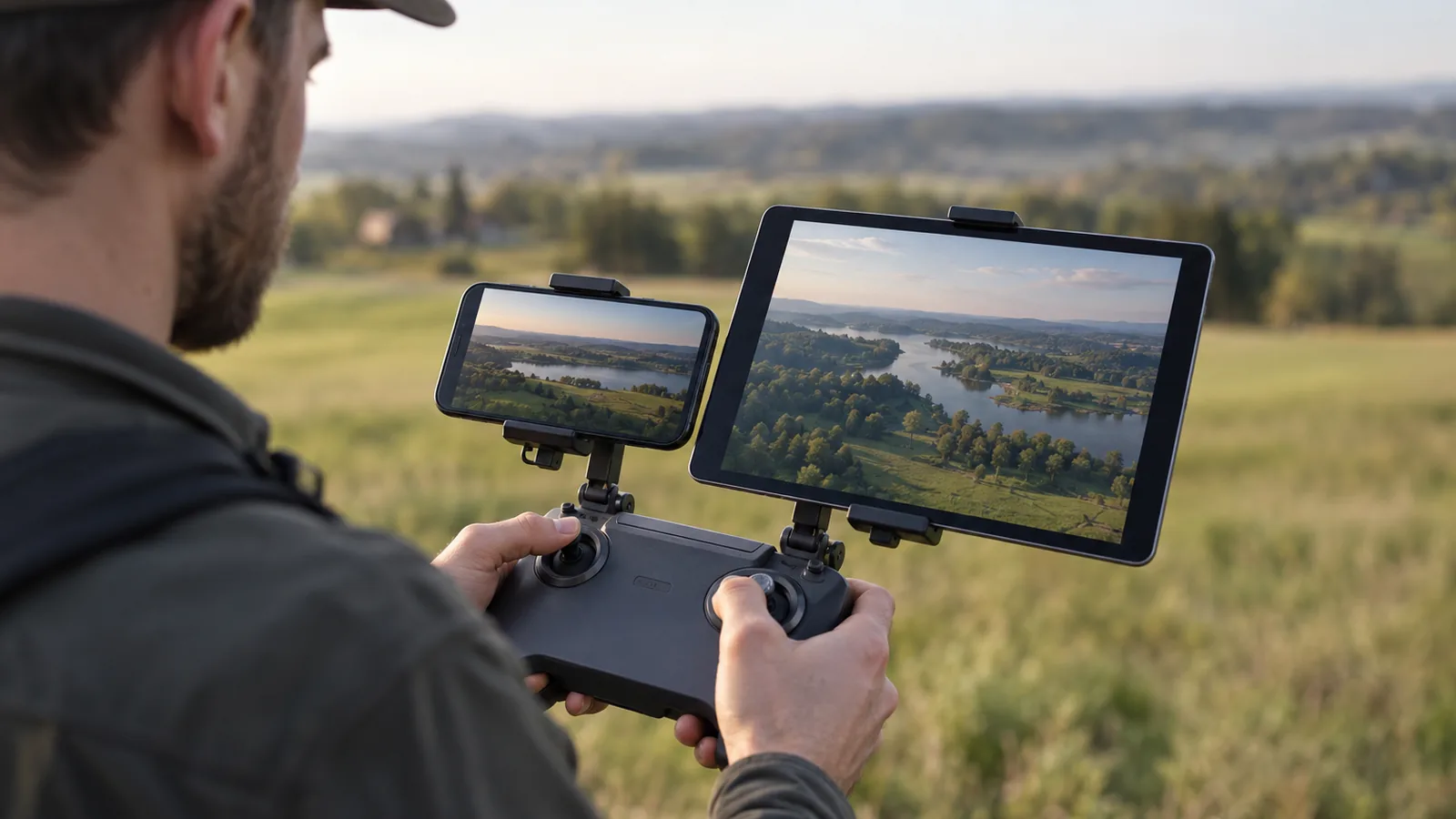
For phone vs tablet for flying a drone, choose a phone for portability or a tablet for a larger live view; the Mavic Air 2 controller holder accepts devices up to 85.4 mm wide. Your choice depends on app support and physical fit, so check both before flying.
Should you use a phone or tablet to fly a drone?
Quick answer: Use a phone for a lighter, more portable setup; choose a tablet when a larger live view helps you see and frame shots. Check app support and controller fit for your exact device before flying, since compatibility depends on the app and model. If you’re using a DJI Mavic Air 2 controller, its built-in holder supports devices up to 85.4 mm wide and 10.0 mm thick; an iPad needs a separate tablet holder.
- Phone: Pick it when portability matters and your app supports your model.
- Tablet: Pick it when screen size matters and your app and controller support your setup.
- Before flying: Verify the exact device’s app compatibility and how it attaches to your controller
Compare phones and tablets for drone flying
Compatibility and controller fit vary by device and drone model, so compare the exact setup you plan to use. In one DJI Mini 2 comparison, the tablet was a 7-inch iPad and the phone was a 6.2-inch Galaxy S9 Plus; those sizes don’t establish what will fit or run with another drone.
| Device | Screen size | Portability | Controller fit | App compatibility | Power considerations |
|---|---|---|---|---|---|
| Phone | 6.2 inches in the compared Galaxy S9 Plus setup | Lighter than the tablet in that comparison | Mavic Air 2 holder accepts devices up to 85.4 mm wide and 10.0 mm thick | DJI Fly supports phones, subject to OS requirements and device verification | Keep out of direct sunlight and excessive heat to reduce shutdown risk |
| Tablet | 7 inches in the compared iPad setup | Heavier than the phone in that comparison; may not fit the original DJI carrying case | Mavic Air 2 requires a separate tablet holder for an iPad | Support depends on the app and model; DJI GO’s older iPad listing doesn’t establish DJI Fly support | Keep out of direct sunlight and excessive heat to reduce shutdown risk |
The tablet’s screen advantage depends on the setup: the size comparison comes from one pair of devices, not a rule for every phone and tablet. The Mavic Air 2 holder’s stated limits apply to that controller, while its iPad connection uses a separate holder.
Check the specific app’s supported-device information and your controller’s dimensions before choosing. DJI lists minimum operating systems for DJI Fly and recommends an iPhone 11 or newer; unlisted devices may meet system requirements without verified, stable performance.
What changes when you fly with a phone?
A phone keeps your drone setup more portable and lighter, but its smaller display can make the live view harder to see than on a tablet. That can make it less comfortable to check fine framing details while you fly, though the app and your specific phone also affect what you can use.
A drone app’s phone support doesn’t guarantee it’ll work well on your device. DJI Fly requires iOS 13.0 or later or Android 9.0 or later, and recommends an iPhone 11 or newer. DJI also marks some devices as unverified, so they may meet system requirements without guaranteed stable app performance. Check that your phone model is supported by the app version before flying.
Controller fit depends on the model. For example, the DJI Mavic Air 2 controller’s built-in holder accepts devices up to 85.4 mm wide and 10.0 mm thick. Check your phone’s dimensions against your controller’s supported size, since a phone that exceeds the holder’s limits may need another mounting option.
Some setups also require a wired connection. With Skydio’s phone-and-controller setup, the controller connects to the phone using the included cable; Skydio specifies a 12-inch USB-C-to-Lightning cable for iOS or a 12-inch USB-C-to-USB-C cable for Android. Skydio recommends turning off the phone’s Wi-Fi so the app communicates through the controller and reduces electromagnetic interference during flight.
Before takeoff, connect the phone to the controller, power on the controller and drone, extend the controller antennas, then check aircraft-status warnings and the image-transmission signal in the app. These checks help you catch setup or signal issues before you fly.
What changes when you fly with a tablet?
A tablet gives you a larger live view, which can make it easier to see the image and frame shots, but it adds size and weight compared with a phone.
Check the controller’s supported device dimensions before you plan to fly with a tablet. The built-in holder has a 10.0 mm thickness limit on that controller.
Some tablet setups also need extra accessories. In one DJI Mini 2 setup, a tablet required an adapter and a longer cable than the one supplied with the drone; the reported combined cost was $20. That cost applies to the setup described, not tablets in general.
Compatibility depends on the drone app and the specific tablet model, so a tablet’s screen category alone doesn’t tell you whether it will work. Skydio’s tested-device list includes tablets, but devices not on the list aren’t guaranteed to work. DJI’s older DJI GO app page lists some iPads and the Samsung Galaxy Tab S2, but that listing doesn’t establish tablet support for DJI Fly. Check your exact tablet and app before flying.
Choose the screen that fits your setup
Choose a phone for drone flying when portability and a snug controller fit matter more than a larger live view; choose a tablet when easier viewing and shot framing matter more. For phone vs tablet for flying a drone, check the specific drone app’s compatibility and your controller’s supported device dimensions before you buy or fly.
App compatibility varies by device model. Check the manufacturer’s current compatibility information for your exact phone or tablet.
DJI says an iPad can connect to that controller with a separate tablet holder, so the built-in holder’s limits don’t tell you whether a tablet can work with an accessory.
Controller fit can also depend on the drone setup. With the DJI Mini 2 setup described in one comparison, a tablet needed an adapter and a longer cable than the supplied one. Treat that as a setup-specific example, not a universal requirement for tablets.
Before choosing, use this order:
- Check app support: Find your exact device model and its operating-system requirements in the drone maker’s app guidance. Unlisted devices may be unverified.
- Check physical fit: Compare your device’s dimensions with the controller holder’s supported dimensions, and confirm whether a tablet holder or other accessory is needed.
- Choose by priority: Pick a phone for portability and fit; pick a tablet for a larger live view when compatibility and mounting work for your setup.
Frequently Asked Questions
Can you fly a drone with a phone?
Yes, you can use a phone as the screen for a drone controller if the drone app supports your specific model and the phone fits the controller. App and device compatibility vary, so check the maker’s supported-device information before flying; an unlisted phone may not deliver stable app performance.
Can you use a tablet with a drone controller?
Yes, a tablet can work if the drone app supports that model and you can connect it to the controller. Some controllers need a separate tablet holder; for example, the DJI Mavic Air 2 supports an iPad with one. Check app support and mounting needs for your setup before choosing a tablet.
Does a tablet make the drone camera view easier to see?
Yes, a tablet’s larger display can make the live camera view easier to see and help you frame shots. The viewing benefit depends on your setup: tablet compatibility and controller mounting still depend on the app, device model, and holder.
Does the drone app need to support your phone or tablet?
Yes, the app needs to support your specific device, not just phones or tablets as a category. Check the exact model and operating system in the manufacturer’s current app guidance; some unlisted devices may meet system requirements without verified, stable performance.
What should you check before attaching a device to a drone controller?
Check that your drone app supports the device, then compare its dimensions with the controller’s holder limits and confirm whether you need a separate mount.
Conclusion
Before you commit, check the drone maker’s compatibility information, measure your device against the controller’s limits, and confirm any required mounting accessories.
Sources
- Using a Phone vs Tablet while Flying Drones (edrones.review)
- dji.com (dji.com)
- support.skydio.com (support.skydio.com)
- dji.com (dji.com)
- repair.dji.com (repair.dji.com)
- repair.dji.com (repair.dji.com)
- dji.com (dji.com)
- support.skydio.com (support.skydio.com)
